
First UAT: Behind the scenes of our HEXO Development
What is UAT Testing?
You may have heard the phrase “UAT” recently and wondered what on earth it means, this article is here to explain exactly what has been going on behind the scenes as we develop HEXO, our new pharmacy CRM system.
UAT stands for User Acceptance Testing. In simple terms, it is the process of putting a new piece of software through its paces before it goes live. This involves testing every button, every screen, every function and every workflow to make sure it works exactly as it should in real-world conditions. Think of it a bit like a test drive before you buy a car. You would not hand over the keys to a brand new vehicle without checking that the brakes work, the lights come on and the engine runs smoothly. UAT is the digital equivalent of that test drive, and it is one of the most important stages in bringing any new system to life.
Technical testing is initially carried out by developers at DSP and in stages it is then tested by Pharm@sea.This is important because the developers build what they think is needed based off of our requirements and requests, but it takes someone working in a real pharmacy environment to spot the things that do not quite work in practice, or to identify opportunities to make things even better than originally planned.
Why Do We Do It?
The simple answer is: to protect staff and our patients. Introducing a new system into a pharmacy environment without thorough testing would be a significant risk. Errors in a system that manages patient records, responsible pharmacist assignments, fridge temperature logs, MHRA drug recalls and daily workflows could have real consequences, not just for efficiency, but for patient safety.
UAT also gives us the opportunity to make the system genuinely fit for purpose before it reaches everyone’s screens. It is far easier, and far less disruptive to catch a problem at this stage than to fix it after the system has gone live and staff are relying on it every day. Every issue we find and resolve now is one less problem you will encounter when HEXO is fully up and running.
“We are not just checking that the system works, we are making sure it works for us, in our environment, in the way our team actually operates.”
There is also a wider benefit. The UAT process gives the development team a clear picture of exactly what we need as an organisation, rather than what a generic off-the-shelf system might offer. Every piece of feedback we provide shapes the final product. That means HEXO will be built around how Pharm@Sea operates, not the other way around.
What Actions Do We Take?
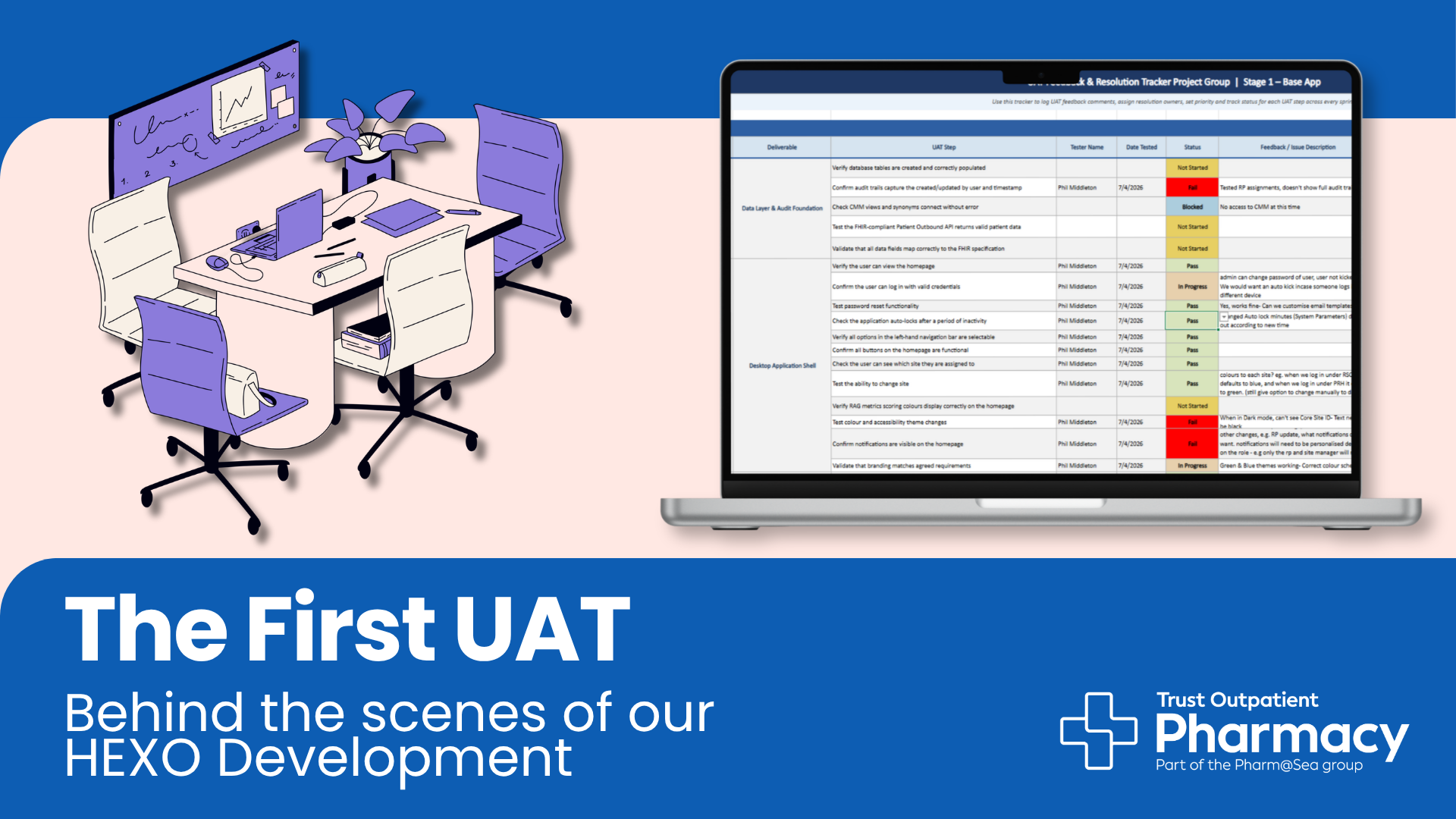
When we test a feature and it does not work as expected, we do not just report it and move on. Every issue is logged in detail, what was being tested, what happened, what we expected to happen, and what needs to change. The development team then reviews each item, works on a resolution and reports back. Some fixes are straightforward; others require more discussion and development time. Everything is tracked so nothing gets missed.
Issues are categorised in a few ways. A Pass means the feature works correctly with no problems. A Fail means something is not working and needs to be fixed before we proceed. In Progress means we are actively working through something that needs more testing or refinement. Blocked means we cannot fully test something yet because it depends on another system or piece of work being completed first, for example, our connection to the CMM system, which we are still working to establish.
Beyond simply logging problems, the UAT process also generates ideas. When you are actively working inside a system, you naturally start to think about how things could work even better. That creative thinking has already led to some really valuable improvements to HEXO that were not in the original specification, more on those below.
What Have We Been Testing?
Our testing has been structured around a series of Sprints — focused testing sessions where we work through specific areas of the system in detail. So far we have completed three Sprints as part of Stage 1, covering the core foundations of the application. Here is a summary of what we have been working through.
Sprint 1 — The Application Shell (Desktop & Mobile)
The first Sprint focused on the very basics: can you log in, can you navigate the system, does it look right and does it behave correctly across both the desktop and mobile versions? This might sound straightforward, but there was a lot to check. We tested everything from password resets and auto-lock timeouts to colour themes, branding, notifications and site switching. Testing has been carried out on the desktop application and we are waiting on updates for the mobile PWA (Progressive Web App)
Several improvements came directly from this first round of testing. We identified that when the system is in Dark Mode, a key piece of information, the Core Site ID, was invisible because the text was the same colour as the background. This has been flagged for resolution. We also identified that notifications were too broad and not personalised enough for different roles; a Pharmacist and a Counter Assistant do not need the same alerts, so we requested that notifications be tailored by role. We are designing Hexo to work for everyone’s individual needs within their role, this is why we are also asking questions during our data collection sessions with the IT Specialist.
One of the more creative ideas to emerge from Sprint 1 was the suggestion of automatic site colour theming. When a member of staff logs in under RSCH, the system defaults to a blue colour scheme; when logging in under PRH, it defaults to green. This small but thoughtful touch makes it immediately clear which site you are working in, reducing the risk of confusion, particularly for staff who work across multiple sites.
Sprint 2 — Staff Functions and Core Administration
Sprint 2 went deeper into the administrative heart of the system, the tools that managers and administrators will use to set up and maintain HEXO on an ongoing basis. This included user management, role management, site settings, fridge and freezer logs, and the Responsible Pharmacist (RP) register.
This Sprint surfaced some important patient safety considerations. The fridge log testing revealed that the system was treating the acceptable temperature range as a restriction on what could be entered, rather than as the target range for the fridge. This was a significant finding, if a fridge goes out of range, the system still needs to record the actual temperature, not prevent entry. This was raised with the development team and has now been altered, and an alert is prompted if further action is required.
We also identified an issue were the auto log out feature was not working, this is a security risk that needed to be resolved. The developers found the problem and set in place a 5 minute limit, meaning when there is 5 minutes of inactivity, user accounts will be logged out. The development team has also committed to adding a mass session termination function as well
Another improvement raised during this Sprint was around the daily tasks and assignments view. The original build did not show daily tasks clearly, and we requested that this be developed further so that staff can see their tasks and outstanding actions at a glance when they log in. We also flagged that certain system functions should remain available even when no RP is logged in,such as dashboards, stock management and reporting so that the team is not completely locked out of the system during a brief gap in RP cover.
Sprint 3 — System Administration, RAG Cards and MHRA Recalls
Sprint 3 moved into some of the more specialist features of HEXO. We tested the tray location management system, system parameters, RAG (Red, Amber, Green) performance cards, and the MHRA drug recall integration, one of the most clinically important features in the entire system.
The RAG card testing went well overall. These are the performance indicators that will appear on the HEXO homepage, giving at-a-glance visibility of how the pharmacy is performing against key metrics. Being able to view, select and amend these cards is working correctly, which is a significant milestone. Once we move into later stages we will be able to check that these are running smoothly in line with time frames
The MHRA recall integration was more complex. MHRA recalls are official notifications from the Medicines and Healthcare products Regulatory Agency when a medicine needs to be withdrawn or restricted, something pharmacies must act on promptly. It was originally set up to add recalls manually but we are looking into how we can streamline the work and make a more productive process for this. This is being discussed with the developers, with the aim of connecting a live RSS feed to ensure recalls are flagged automatically and in real time. Requests are not always possible though, so stay tuned for future updates.
We also raised an important workflow refinement during Sprint 3: when creating a new user account, the system now needs to include a field for professional registration numbers. While this is not compulsory for all roles, it should be required before certain role types, such as Pharmacist, Superintendent or Technician, can be assigned. This is both a governance and a patient safety requirement, and the development team has agreed to build this in.
The Team Behind the Testing
UAT testing for HEXO has been carried out by the IT Specialist and Business Manager, working closely together to test the system from both a technical and an operational perspective. This dual approach is important, the IT Specialist brings technical knowledge of how systems should behave, while the Business Manager brings direct insight into how the pharmacy operates day to day and what the team actually needs.
Crucially, this has not been done in isolation. Staff on site have also been involved, contributing ideas and highlighting practical considerations that would not have been visible from a desk-based testing session alone. Both Brighton and Haywards Heath site have provided a lot of insight and knowledge to the IT Specialist and that has really helped to improve the testing. The result is a feedback loop that genuinely reflects how HEXO will be used in the real world, not just how it looks on paper.
This is exactly the right way to build a system for a healthcare environment. Patient safety is at the heart of every decision we make, and the UAT process has already surfaced several improvements that directly support safer, clearer and more reliable ways of working.
What Happens Next?
Testing is ongoing, and there are still areas to work through before we move to the next phase. Once the development team has addressed the outstanding issues and improvements identified in our testing so far, we will move into further Sprints to test additional functionality, including patient-facing features, reporting tools and integrations with other systems.
Each Sprint brings us closer to a system that we can be genuinely proud of, one that is built around the needs of our staff, our patients and our sites. We will continue to share updates as development progresses, and there will be opportunities for wider staff input as we move through the later stages.
HEXO is being built for everyone at Pharm@Sea. Your ideas, your questions and your observations are what make this system better and that input does not stop here. We are excited about what this system will mean for the way we work, and we are committed to getting it right.